No I meant the specific usage of auto setting show on all workspaces on certain apps would be a terrible hack. It effectively collapses all secondary virtual desktop options on one display to one. It’s a complicated way to effectively get virtual desktops only on the primary monitor or constantly fuck about with switching away from the always present apps on the secondary monitor. It’s just a bad design.
It’s a complicated way to effectively get virtual desktops only on the primary monitor or constantly fuck about with switching away from the always present apps on the secondary monitor.
Ah, but you’re living in 2-monitor land.
Over here in 6-monitor land, it makes a lot more sense to do it that way.
Personally, I have a time-tracking spreadsheet on my 3rd monitor, as well as a hardware monitor and a timer on my 5th monitor. (The spreadsheet and timer are used for tracking my working hours, and the hardware monitor is just nice to have to keep an eye on things.) All of those are set to not show up in the taskbar or switcher, and to always be underneath other windows with window rules, as well as setting all of their precise positions. And they’re set to always be shown on all virtual desktops, so they’re always available in the background. In that way, those 3 apps function more like desktop widgets than actual apps. They can be covered by other things if I need the screen real estate (which is fairly rare with 6 monitors, but does occasionally happen), they’re unobtrusive and don’t clutter things too badly, but they’re always there and available to use in the background because these three things are the three things I want to have available to me no matter which project I’m working on. I want everything on all my other screens to switch virtual desktops together, but I want those three apps to be on all desktops.
If you have more monitors it makes more sense in that context to have more displays constantly displaying a singular applications because you can afford to devote a whole monitor to a singular app.
So given an incredibly expensive and unergonomic configuration applicable to 0.001% of users and your multi step half assed manual process you can achieve in the simplest case what someone from 2010 could achieve with i3wm by switching a monitor to a workspace and not switching that monitor away from that workspace.
That is to say that per monitor workspaces enable a superset of workflows that can be achieved with sticky and the workflows are vastly more common on the actual configurations used by real people.


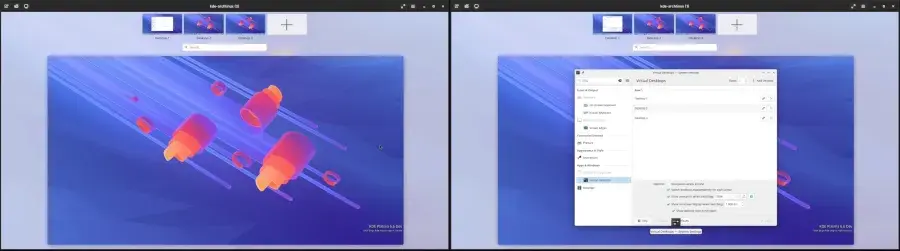
No I meant the specific usage of auto setting show on all workspaces on certain apps would be a terrible hack. It effectively collapses all secondary virtual desktop options on one display to one. It’s a complicated way to effectively get virtual desktops only on the primary monitor or constantly fuck about with switching away from the always present apps on the secondary monitor. It’s just a bad design.
Ah, but you’re living in 2-monitor land.
Over here in 6-monitor land, it makes a lot more sense to do it that way.
Personally, I have a time-tracking spreadsheet on my 3rd monitor, as well as a hardware monitor and a timer on my 5th monitor. (The spreadsheet and timer are used for tracking my working hours, and the hardware monitor is just nice to have to keep an eye on things.) All of those are set to not show up in the taskbar or switcher, and to always be underneath other windows with window rules, as well as setting all of their precise positions. And they’re set to always be shown on all virtual desktops, so they’re always available in the background. In that way, those 3 apps function more like desktop widgets than actual apps. They can be covered by other things if I need the screen real estate (which is fairly rare with 6 monitors, but does occasionally happen), they’re unobtrusive and don’t clutter things too badly, but they’re always there and available to use in the background because these three things are the three things I want to have available to me no matter which project I’m working on. I want everything on all my other screens to switch virtual desktops together, but I want those three apps to be on all desktops.
If you have more monitors it makes more sense in that context to have more displays constantly displaying a singular applications because you can afford to devote a whole monitor to a singular app.
So given an incredibly expensive and unergonomic configuration applicable to 0.001% of users and your multi step half assed manual process you can achieve in the simplest case what someone from 2010 could achieve with i3wm by switching a monitor to a workspace and not switching that monitor away from that workspace.
That is to say that per monitor workspaces enable a superset of workflows that can be achieved with sticky and the workflows are vastly more common on the actual configurations used by real people.